Sales dropped. The answer is in Snowflake.
When region, product, channel and customer views point different ways, FactorPrism searches them together, inside your Snowflake account, and returns a Finding: the factors behind the change, where each one acted, and how much each added.
Ready for your own data? Install from Snowflake Marketplace
Find out what's driving changes in your data.
- The factors behind the change, ranked, each placed where it acts.
- Combinations kept visible, so a factor in one product within one region shows up there.
- What to check next, as focused questions for the owners.
- Nothing leaves Snowflake. Read-only access to one table or view; Cortex optional.
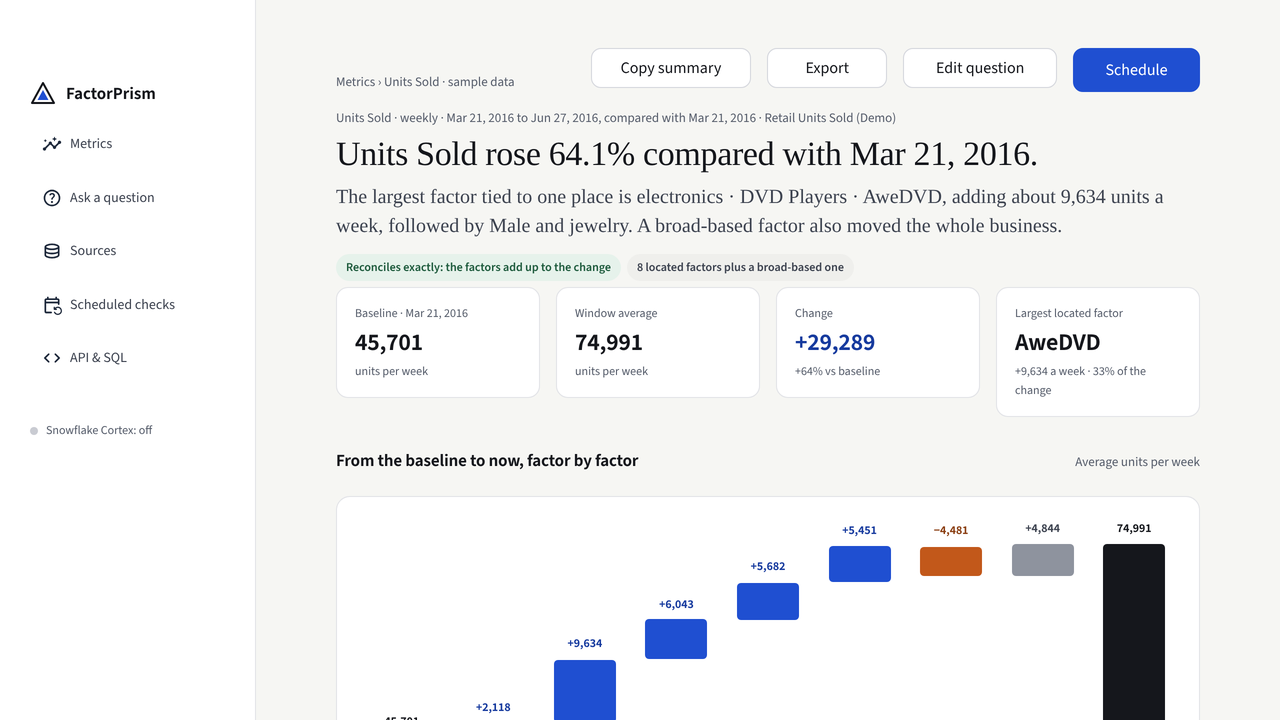
Read it in the app. Automate it when you are ready.
Use a Finding when people need to see the evidence and decide what to check. Use the SQL API when the same question should run from a task, a pipeline or an approved agent.
Common questions
How do I find out why a metric changed in Snowflake?
Create a Finding from the table or view containing the metric. FactorPrism ranks the factors behind the change, shows where each acted, and reconciles their contributions to the total change.
Does FactorPrism move data outside Snowflake?
No. FactorPrism runs as a Snowflake Native App under the customer's existing roles and governance, with read-only access to the table or view the customer selects.
Can an AI agent run the analysis?
Yes. FactorPrism exposes a callable stored procedure and an agent skill for workflows such as Snowflake Cortex Code.